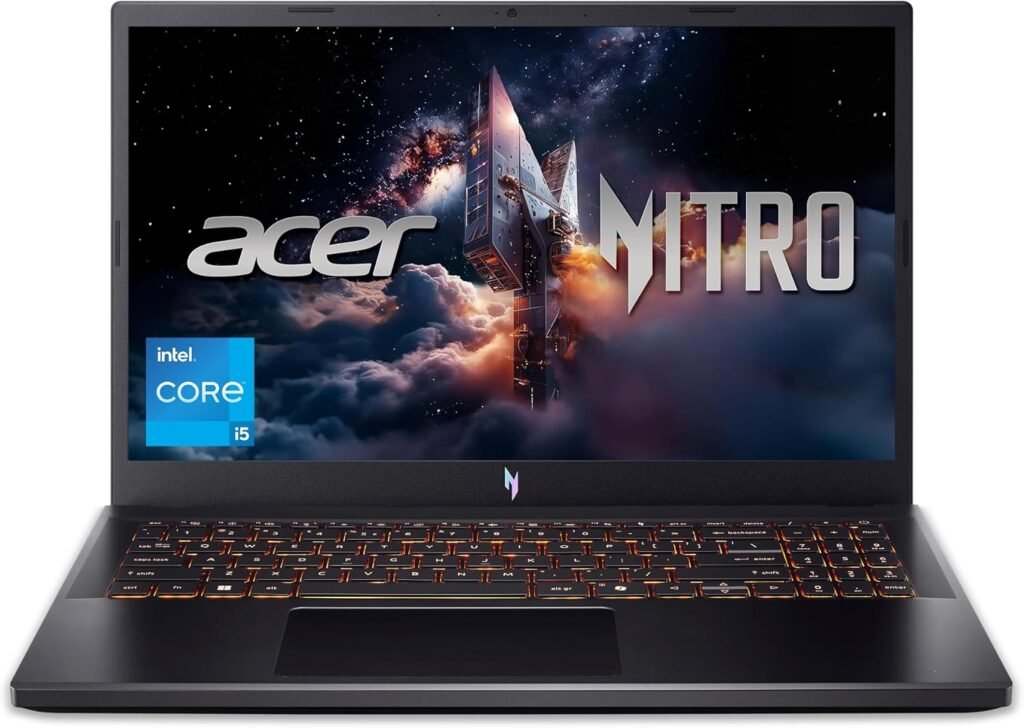
The “budget gaming laptop” category is one of the most competitive spaces in tech. You want enough power to play modern titles, but you don’t want to pay for a machine that feels like a compromise. Enter the Acer Nitro V (ANV15-52-586Z).
This 2026 iteration of the Nitro V line leans into a “stealth” aesthetic—moving away from the loud red accents of the past toward a professional, sleek black design that wouldn’t look out of place in a library or an office. But don’t let the subtle looks fool you; the hardware inside is built for the grind. https://amzn.to/3OBZN8E
1. Performance: The 13th Gen & RTX 40-Series Combo
The ANV15-52-586Z hits the “sweet spot” for 1080p gaming.
- Intel Core i5-13420H: This processor features a hybrid architecture (8 cores, 12 threads) that balances high-performance gaming with efficient background task management. It ensures that your Discord stream or Chrome tabs don’t choke your frame rates.
- NVIDIA® GeForce RTX™ 4050: While technically an “entry-level” 40-series card, the RTX 4050 is a secret weapon thanks to DLSS 3.5. By using AI to generate additional frames, it allows you to play demanding titles like Cyberpunk 2077 or Starfield at smooth frame rates that were previously impossible at this price point.
2. A Competitive Edge: The 165Hz Display
While many budget laptops settle for 120Hz or 144Hz, the Nitro V steps up with a 165Hz Refresh Rate.
- Liquid Smooth Motion: In fast-paced eSports titles like Valorant, Apex Legends, or League of Legends, that extra overhead in refresh rate translates to lower input lag and clearer tracking of moving targets.
- IPS Technology: The 15.6″ Full HD panel uses IPS tech to ensure wide viewing angles, so the colors don’t wash out if you aren’t sitting at a perfect 90-degree angle to the screen.
Tech Specs at a Glance
| Component | Specification |
| Processor | Intel® Core™ i5-13420H (Up to 4.6GHz) |
| Graphics | NVIDIA® GeForce RTX™ 4050 (6GB GDDR6) |
| Display | 15.6″ FHD IPS, 165Hz Refresh Rate |
| Memory | 8GB DDR5 RAM (Expandable) |
| Storage | 512GB PCIe Gen 4 SSD |
| Connectivity | Wi-Fi 6, Gigabit Ethernet, Thunderbolt 4 |
3. Cool Under Pressure
Gaming generates heat, and heat kills performance. The Nitro V uses a dual-fan, dual-intake cooling system that pulls cold air through the keyboard and bottom vents, exhausting it out the sides and rear.
- NitroSense: With a dedicated hotkey, you can open the NitroSense utility to manually override fan speeds or change power profiles (Quiet, Balanced, or Performance) depending on whether you’re writing an essay or entering a tournament.
4. Next-Gen Connectivity
One of the most underrated features of this model is the Thunderbolt 4 port. This “one-port-to-rule-them-all” allows you to:
- Connect to a high-speed docking station.
- Output to multiple 4K monitors.
- Transfer massive files from external SSDs at speeds up to 40Gbps.
The Verdict: Who is the Nitro V for?
The ANV15-52-586Z is the ultimate “gateway” laptop. It’s for the student gamer who needs a reliable PC for class during the day and a competitive rig at night. It’s for the budget-conscious creator who needs the CUDA cores of an RTX card for video rendering without spending $2,000.
Pro-Tip: Since this model comes with 8GB of DDR5, we recommend adding another 8GB stick down the road. Because the Nitro V is easily upgradeable, it’s a machine that can grow with your needs.
Ready to jump into the game? The Acer Nitro V is proof that you don’t need a massive budget to get massive performance. https://amzn.to/3OBZN8E